
Password strength determines how resistant your password is to guessing and brute force attacks. A strong password protects your accounts from unauthorized access, while a weak password can be cracked in seconds.
Security researchers measure password strength by calculating how many attempts an attacker would need to guess it correctly. This measurement considers three critical factors: length, complexity, and randomness. The stronger your password, the more time and computational power required to crack it.
Modern password strength checkers analyze these factors instantly, giving you feedback on whether your password can withstand common attack methods. Understanding what makes a password strong helps you create credentials that actually protect your data.
The key factors that determine password strength
Three elements work together to create a strong password. Each contributes differently to your overall security, but all three matter.
1. Length: Why it's the most important factor
Password length outweighs every other security consideration. Each additional character exponentially increases the number of possible combinations an attacker must try.
An 8-character password using lowercase letters offers 208 billion possible combinations. Extend that to 12 characters, and you jump to 95 quadrillion combinations. Add just four more characters to reach 16, and the number becomes incomprehensibly large — 43.6 septillion possibilities.
Here's what this means in practical terms:
| Password length | Character types | Possible combinations | Time to crack (at 1 billion guesses/second) |
|---|---|---|---|
| 8 characters | Lowercase only | 208 billion | 3.5 minutes |
| 8 characters | Mixed case + numbers + symbols | 6.6 quadrillion | 2.5 months |
| 12 characters | Lowercase only | 95 quadrillion | 3 years |
| 12 characters | Mixed case + numbers + symbols | 475 trillion trillion | 15 million years |
| 16 characters | Mixed case + numbers + symbols | 43.6 septillion | 100 trillion years |
Security experts now recommend passwords of at least 12-16 characters. The computational effort required to crack longer passwords makes brute force attacks impractical, even with powerful hardware.
2. Complexity: The role of character types
Character variety expands your password's possible combinations. Each character type you add multiplies the search space an attacker must explore.
Four character types exist:
- Lowercase letters (a-z): 26 possibilities per character
- Uppercase letters (A-Z): 26 possibilities per character
- Numbers (0-9): 10 possibilities per character
- Special symbols (!@#$%^&*): typically 32 possibilities per character
Using only lowercase letters gives you 26 options per position. Add uppercase, and you double that to 52. Include numbers and symbols, and you reach 94 possible characters per position.
But complexity alone doesn't guarantee security. "Password1!" meets complexity requirements yet remains weak because it follows predictable patterns. Attackers use dictionaries of common passwords and patterns, cracking "complex" but predictable passwords quickly.
3. Randomness and unpredictability
True randomness defeats pattern-based attacks. Humans create predictable passwords — we substitute "3" for "e" or add "!" at the end. Attackers know these patterns and exploit them.
Dictionary attacks target common words and phrases. Threat actors run through word lists, common substitutions, and likely combinations.
Random character sequences like "7mK#9pL2@xQw" resist these attacks because they contain no linguistic patterns. Password generators create truly random strings that don't appear in any dictionary or follow human habits.
Passphrases offer a middle ground. Random word combinations like "turquoise-envelope-saxophone-mountain" provide both length and unpredictability while remaining memorable. The key is randomness — choose words randomly, not from meaningful phrases.
Understanding password entropy
Password entropy quantifies unpredictability in bits. Higher entropy means more uncertainty, which translates to better security.
What is entropy and how is it calculated?
Entropy measures the randomness in your password using information theory. The formula is straightforward:
Entropy = log₂(R^L)
Where:
- R = the number of possible characters (the pool size)
- L = the length of the password
For example, an 8-character password using lowercase letters only:
- R = 26 (lowercase letters)
- L = 8
- Entropy = log₂(26^8) = 37.6 bits
The same length password using all character types:
- R = 94 (lowercase, uppercase, numbers, symbols)
- L = 8
- Entropy = log₂(94^8) = 52.4 bits
Each additional bit of entropy doubles the number of combinations. A password with 40 bits of entropy has twice as many possible combinations as one with 39 bits.
How entropy relates to cracking time
Entropy directly determines how long a brute force attack takes. Each bit of entropy doubles the time required to exhaust all possibilities.
At 30 bits of entropy, an attacker trying one billion passwords per second needs about one second to crack your password. At 40 bits, that extends to roughly 18 minutes. At 50 bits, you're looking at 13 days. At 60 bits, the timeline stretches to 36 years.
Modern GPUs can attempt billions of password guesses per second, especially for offline attacks where an attacker has stolen a password hash. Specialized hardware and distributed computing push these numbers even higher.
This is why length matters so much. Adding characters increases entropy faster than adding complexity. A 16-character lowercase password (75 bits of entropy) outperforms a 10-character password with all character types (66 bits of entropy).
Real-world password cracking considers more than raw computation. Attackers use sophisticated techniques:
- Dictionary attacks try common words and phrases first
- Rule-based attacks apply common patterns and substitutions
- Rainbow tables use precomputed hashes for instant lookups
- Credential stuffing exploits passwords leaked from other breaches
High entropy passwords resist all these methods because they lack patterns and don't appear in any dictionary.
Common mistakes that weaken passwords
Even when trying to create strong passwords, people make predictable errors that undermine security:
- Substitution patterns — Replacing letters with similar-looking numbers or symbols ("P@ssw0rd") follows well-known patterns. Attackers' tools automatically try these variations.
- Personal information — Including names, birthdays, addresses, or other personal details makes passwords guessable through social engineering or public information.
- Dictionary words — Single words, even obscure ones, appear in cracking dictionaries. "Chrysanthemum" feels secure but cracks quickly.
- Keyboard patterns — Sequences like "qwerty" or "1qaz2wsx" are among the first attempts in any attack.
- Repeated characters — "aaaaaa" or "111111" offer minimal entropy despite meeting length requirements.
- Common passwords — "Password123," "Welcome1," and similar variations appear in every breach database.
- Reusing passwords — Using the same password across multiple sites means one breach compromises all your accounts.
- Short passwords with complexity — "P@s5!" meets complexity rules but offers less security than "correct-horse-battery-staple."
The most dangerous mistake is believing a password is strong because it meets basic requirements. True password strength comes from length, randomness, and uniqueness.
Best practices for creating and maintaining strong passwords
Creating strong passwords requires a systematic approach. These practices protect your accounts effectively:
- Use a password manager — Password managers generate and store truly random passwords. You only need to remember one master password while all other credentials remain both secure and unique.
- Prioritize length over complexity — Aim for at least 16 characters. A longer password with limited character types beats a shorter one with maximum complexity.
- Generate passwords randomly — Use password generators rather than creating passwords manually. Human-created passwords contain unconscious patterns.
- Make every password unique — Never reuse passwords across accounts. When one site suffers a breach, unique passwords prevent credential stuffing attacks.
- Use passphrases for memorable passwords — When you must remember a password, create passphrases from 4-6 random words. "turquoise-envelope-saxophone-mountain" provides excellent security while remaining memorable.
- Enable two-factor authentication — Strong passwords are essential, but two-factor authentication adds critical protection even if your password is compromised.
- Update compromised passwords immediately — When a service reports a breach, change that password and any others that share similarities.
- Avoid password hints — Hints often reveal enough information to guess passwords. If you need hints, you need a password manager.
- Don't share passwords — Sharing passwords via email, text, or messaging apps exposes them to interception. Use secure sharing features in password managers when necessary.
Conclusion
Password strength is about understanding what makes passwords resistant to attacks. Length, randomness, and uniqueness form the foundation of password security. Implement these principles consistently, and your accounts gain protection against the vast majority of password-based attacks.
 Eirik Salmi
 Eirik Salmi
 Eirik Salmi
Table of contents
Table of contents
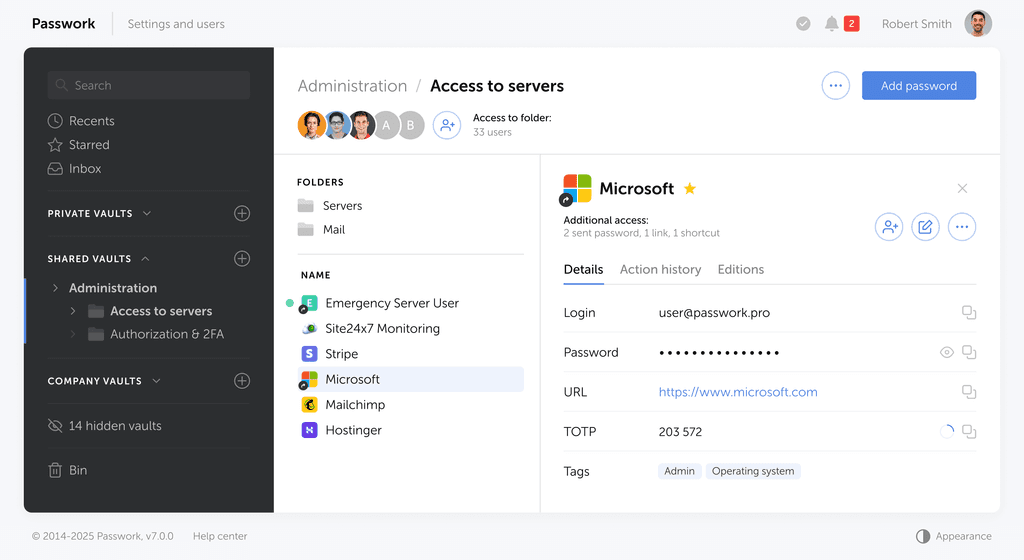
Self-hosted password manager for business
Passwork provides an advantage of effective teamwork with corporate passwords in a totally safe environment. Double encryption and zero-knowledge architecture ensure your passwords never leave your infrastructure.
Learn more