
Account lockouts don't just frustrate users — they generate support tickets, interrupt workflows, and open temporary security gaps that attackers can exploit. For IT administrators managing dozens or hundreds of accounts across Google Workspace, Microsoft 365, and Apple Business Manager, account recovery is a recurring operational challenge.
The core difficulty is identity verification: proving that the person requesting access is the legitimate account owner, without relying on the very credentials that are unavailable. Recovery processes are also potential attack vectors — social engineering attempts frequently target recovery workflows to gain unauthorized access.
Multi-factor authentication strengthens account security but complicates recovery when devices are lost or compromised. The stronger the authentication, the more complex the recovery path.
This article covers how account recovery works across major platforms, what distinguishes it from a standard password reset, how to prepare before an emergency, and what enterprise policies should address to keep recovery processes both secure and auditable.
Understanding account recovery fundamentals
Account recovery is the structured process of verifying account ownership and restoring access when primary and secondary authentication methods are unavailable. It differs from a standard password reset in one critical way: it cannot assume the user controls any pre-registered recovery channel. Instead, it establishes trust through independent verification — account history, government ID, device records, or trusted contacts.
The challenge is a deliberate tension: platforms must prevent unauthorized access while avoiding permanent lockouts for legitimate users. Too much friction and users lose accounts permanently. Too little and recovery becomes an attack surface.
What is account recovery?
Account recovery is an identity verification process that restores access when both primary authentication (password + 2FA) and secondary authentication (recovery email, phone) have failed or become unavailable. Unlike a password reset — which sends a link to a pre-registered email — recovery requires independent proof of ownership through a hierarchy of verification methods.
That hierarchy typically moves through three tiers: primary (password and 2FA), secondary (recovery email or phone), and tertiary (government ID, account history, payment records, device serials). Each tier carries a higher verification burden and a longer resolution timeline.
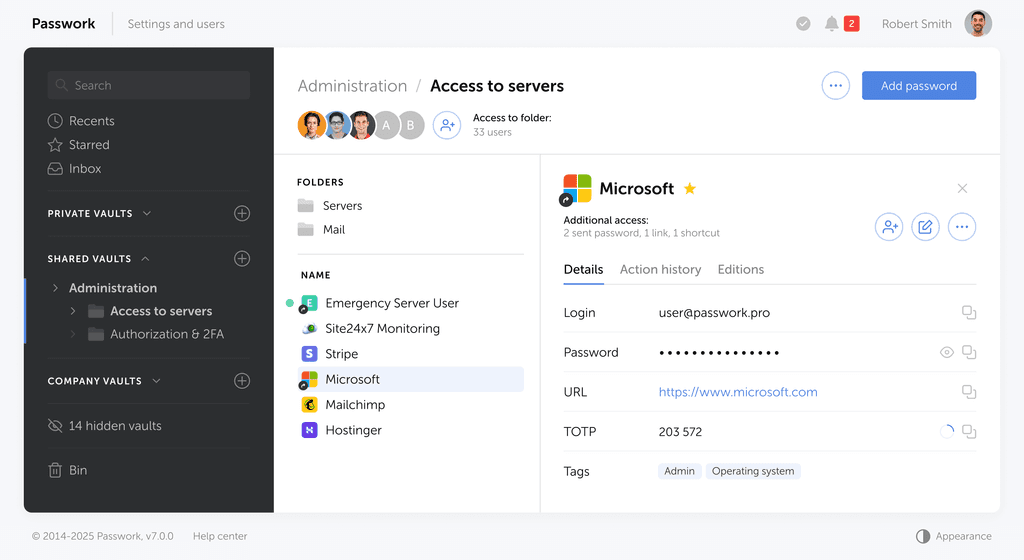
Organizations need secure storage for verification credentials — backup emails, recovery phone numbers, backup codes. We designed Passwork with encrypted storage and role-based access controls so IT administrators with appropriate permissions can retrieve recovery credentials when needed, while audit trails document who accessed what and when.
Common scenarios that require account recovery
Account recovery becomes necessary when standard reset paths are blocked. The most frequent scenarios:
- Forgotten password with lost recovery email access — the most common case; both primary and secondary channels are unavailable.
- Lost 2FA device without backup codes — employee replaces or loses their phone and never stored backup codes separately.
- Hacked account — attacker changed both the password and the recovery email, locking out the legitimate owner.
- Phishing attack — victim provided credentials that enabled the attacker to modify recovery settings before access was revoked.
- Device loss triggering cascading lockouts — a single phone replacement can trigger recovery across every account tied to that device.
- Security breach requiring mass resets — credential compromise forces simultaneous recovery across multiple accounts.
Each scenario carries a different urgency level and a different verification path.
Recovery vs. password reset: key differences
A password reset assumes the user controls a pre-registered recovery channel. Account recovery does not make that assumption.
| Password reset | Account recovery | |
|---|---|---|
| Prerequisite | Access to recovery email or phone | Independent identity verification |
| Verification | Click link or enter SMS code | ID documents, account history, payment records |
| Time to resolution | 5–15 minutes | 24 hours to several weeks |
| Trigger | Forgotten password | Lost recovery channels or suspected compromise |
| Platform review | Automated | Automated + possible human review |
Platforms escalate from reset to recovery when standard reset fails or when security signals suggest compromise — unusual login locations, rapid security setting changes, or reports from the account holder. Recovery creates deliberate friction: the delay itself is a security control, giving legitimate owners time to identify and stop unauthorized access attempts.
Password resets work when users can access their recovery email. We designed Passwork to store recovery email credentials separately from primary passwords, so IT administrators can help users access their recovery email during a lockout — resolving the situation significantly faster than a full platform verification process.
Platform-specific recovery methods
Infographic: Platform recovery timeline comparison — Google, Microsoft, Apple
Google Workspace, Microsoft 365, and Apple Business Manager each use distinct recovery architectures with different verification methods, timeframes, and administrator override capabilities. Understanding these differences lets IT teams prepare the right documentation, set realistic expectations with users, and identify where administrator intervention can shortcut the process.
Identity verification is the common thread across all three platforms — but what counts as sufficient proof varies considerably.
Google account recovery process
Google's recovery entry point is accounts.google.com/signin/recovery, which launches an automated questionnaire. The system asks for the account email or phone, the last remembered password, and then attempts to send a verification code to the registered recovery email. If that's unavailable, it asks account activity questions: account creation date, recent email subjects, frequent contacts, and payment method details.
For complex cases, Google may take 24–72 hours to review the submission. Two-factor authentication complicates this: if the user has lost their 2FA device and has no backup codes, the full questionnaire is required — and success depends heavily on account history.
Google Workspace advantage: IT administrators with retained super admin access can reset user passwords directly, bypassing the full recovery process entirely. This makes super admin credential security a critical dependency.
Success factors: Older account with consistent login locations, access to recovery email, knowledge of recent emails and contacts, payment method on file.
Failure factors: Recently created account with minimal history, no recovery email configured, inconsistent login locations, no payment method.
Microsoft account recovery process
Microsoft's recovery entry point is account.live.com/acsr — the Account Recovery form. Microsoft organizes verification around "security info": the collection of alternate emails, phone numbers, and authenticator app registrations associated with the account.
The recovery procedure: enter the account email or phone, select a verification method from registered security info, receive a recovery code, and answer security questions if configured. If all security info is inaccessible, submit an identity verification form with government ID, recent email subject lines, folder names, contacts' email addresses, and billing information.
Microsoft 365 advantage: Tenant administrators can reset user passwords without user-initiated recovery — provided admin access is intact.
Trusted device shortcut: If the user has a previously signed-in device, Microsoft may allow verification through that device instead of security info.
Timeframes: Security info verification is near-instant; identity verification form review takes 3–7 business days.
Success factors: Multiple security info entries registered, trusted device available, detailed account knowledge, payment method on file.
Failure factors: Single security info entry that's been lost, recently created account, free account with no payment history.
Apple ID recovery process
Apple's approach prioritizes security over convenience — recovery timelines are longer and verification requirements are stricter than Google or Microsoft.
The primary recovery method uses trusted devices: iPhones, iPads, or Macs where the Apple ID was previously signed in. A recovery code appears on the trusted device to authorize access from a new device. Two-factor authentication is mandatory for modern Apple IDs, which means recovery requires either trusted device access or the recovery key — a 28-character code generated during 2FA setup. Apple cannot retrieve or reset this key.
When both are unavailable, the process begins at iforgot.apple.com: verify identity using payment method, recent purchases, and device serial numbers, then enter a waiting period that ranges from 24 hours to several weeks. Apple sends an SMS notification when the waiting period ends and temporary access is granted.
Account Recovery Contact: Users can designate a trusted person who can generate recovery codes — but both parties need their devices available simultaneously.
Timeframes: Trusted device or recovery key — instant. Waiting period — 24 hours minimum, often 1–3 weeks.
Success factors: Trusted device available, recovery key stored securely, recovery contact configured, payment method and multiple devices registered.
Failure factors: All devices lost or sold, recovery key never generated or lost, no payment methods, recently created account.
Step-by-step recovery process
While platform procedures differ, account recovery follows a consistent three-phase framework: verify whether full recovery is actually needed, gather the required verification information, then submit the recovery request and manage the follow-up. Preparation at each phase directly affects both the success rate and the time to resolution.
Phase 1: Initial access attempt
Before initiating full recovery, confirm that simpler solutions won't resolve the issue. Work through this checklist:
- Can you access the recovery email? → Use standard password reset.
- Do you have backup codes for 2FA? → Use those to bypass the lost device.
- Is this a browser or cache issue? → Clear cookies, try a different browser or incognito mode.
- Is the account locked due to too many failed attempts? → Wait for the lockout period to expire.
Proceed to full account recovery only when: (1) no recovery email or phone access, (2) no backup codes available, (3) the issue is not technical. Document every method attempted — platforms ask during recovery, and demonstrating that standard options were exhausted supports the verification case.
Phase 2: Gathering required information
Platforms verify identity through multiple data points. Gathering everything before starting the recovery form reduces delays and avoids incomplete submissions that reset the review timeline.
Prepare the following:
- Personal identity: Government-issued photo ID (passport or national ID card)
- Account history: Account creation date, previous passwords, recent email subject lines, folder names, frequent contacts
- Payment information: Card last four digits, recent purchase dates and amounts, billing address, active subscriptions
- Technical account details: Device serial numbers, registered phone numbers, alternate email addresses, recent login locations
- Organizational information (enterprise): IT admin contact, company domain, purchase order documentation
The more detail provided, the stronger the identity proof — particularly for accounts with limited history.
Phase 3: Submitting the recovery request
Complete the recovery form thoroughly on the first submission. Incomplete submissions restart the review clock.
Platform entry points:
- Google: accounts.google.com/signin/recovery
- Microsoft: account.live.com/acsr
- Apple: iforgot.apple.com
Expected review timelines:
- Google: 24–72 hours for automated review
- Microsoft: instant (security info) to 3–7 business days (identity verification)
- Apple: 24 hours minimum, often 1–3 weeks
After submitting, do not resubmit during the review period — it resets the timeline. Monitor email and SMS for status updates. Provide additional information only if the platform explicitly requests it. After approval, act immediately: temporary access links expire, and platforms require an immediate password and security info update.
Prevention and best practices
The most effective account recovery is one that never requires full platform verification. Preparation determines whether a lockout resolves in minutes or weeks.
Setting up backup authentication
Configure backup authentication methods before an emergency — platforms do not allow setup during an active recovery process.
Recovery email: Configure this first. Use an email address separate from the account being protected. Never use a work email as the recovery address for the same work account.
Backup codes: Generated during 2FA setup, these one-time codes bypass the 2FA device entirely. Download them immediately, store them separately from the 2FA device, and treat them with the same sensitivity as the account password itself.
2FA backup architecture:
- Primary 2FA: authenticator app on primary phone
- Backup method 1: backup codes stored in encrypted storage, separate from the phone
- Backup method 2: recovery email or SMS to a different phone number
- Never rely on a single method
Platform-specific checklist:
- Google: Recovery email + backup codes + backup phone number
- Microsoft: Security info with 2+ alternate emails/phones + backup codes
- Apple: Trusted devices (multiple) + recovery key stored securely + account recovery contact configured
Apple recovery key: Generate the 28-character key during 2FA setup. Apple cannot reset or retrieve it. Store it in encrypted storage, not on the device it protects.
Backup authentication is only valuable if it's accessible during an emergency. We designed Passwork to address the separation challenge directly: backup codes stored on the phone don't help when the phone is lost. Storing recovery email credentials, backup code lists, and recovery keys in Passwork keeps them encrypted, separate from protected devices, and accessible to authorized IT personnel through role-based controls when a legitimate recovery scenario occurs.
Secure recovery credential storage
Recovery credentials present a storage paradox: they must be secure enough to resist attackers, yet accessible enough to use when primary authentication has failed.
Requirements for secure storage:
- Encrypted at rest (AES-256 or equivalent)
- Access control limiting who can retrieve credentials
- Physically and logically separate from primary credentials
- Backed up to prevent single-point storage failure
- Audit logged to detect unauthorized access attempts
Anti-patterns to avoid:
- Screenshot of backup codes stored on the same 2FA phone
- Printed backup codes kept with the device they protect
- Recovery codes emailed to the account they're meant to recover
Correct approaches:
- Password vault separate from the protected account
- Encrypted notes in a secure location with restricted access
- Physical safe for high-sensitivity accounts
Recovery email credential storage: If a personal Gmail account serves as the recovery address for a work account, store those Gmail credentials somewhere accessible during a work account lockout — not inside the work account's password vault.
For organizations, IT departments should maintain centralized encrypted storage with role-based access, comprehensive audit trails, and documented emergency access procedures. This approach also satisfies data protection requirements: encryption at rest, access control policies, and audit trails for privileged credential access.
Recovery methods comparison
Different recovery methods offer different trade-offs between security strength, convenience, and reliability. Choosing the right backup method — and storing it correctly — determines whether recovery takes minutes or weeks.
| Recovery method | Security level | Time to resolution | Success rate | Primary limitation |
|---|---|---|---|---|
| Trusted device | High | Instant | ~95% | Fails if all devices lost or sold |
| Backup/recovery codes | High (if stored securely) | Instant | ~90% | Single-use; requires secure separate storage |
| Recovery email / phone | Medium | 5–15 minutes | ~85% | Fails if channel is compromised |
| Account history questions | Medium-low | 24–72 hours | 60–70% | Requires detailed account knowledge |
| Government ID verification | High | 3–7+ business days | 50–60% | Slowest; strictest review process |
The pattern is clear: methods with the highest success rates (trusted device, backup codes) require active maintenance — keeping devices enrolled, generating codes, storing them separately. Methods that require no preparation (account history, ID verification) carry lower success rates and significantly longer timelines.
For high-security accounts, prioritize stronger verification methods even at a convenience cost. The 2–3 minutes spent configuring a recovery contact or generating backup codes is a direct investment in avoiding a multi-week recovery process.
Enterprise account recovery policies
Organizations need documented account recovery policies for two reasons: operational efficiency and compliance. Without defined procedures, recovery events become ad-hoc, inconsistently documented, and difficult to audit.
Core policy components:
Recovery authority:
- Who can initiate: users, IT helpdesk, direct managers
- Who authorizes: IT administrators, security team
- Escalation path for high-privilege accounts (domain admins, finance systems)
- Emergency access procedures for critical roles
IT administrator responsibilities:
- Maintain centralized recovery credential storage
- Verify user identity before assisting with recovery
- Document all recovery events with timestamps and verification steps
- Update recovery methods after successful recovery
- Communicate realistic timelines to affected users
Compliance considerations:
- SOC 2: Audit trail all credential access events
- GDPR/DSGVO: User access rights and data protection requirements for stored recovery credentials
- PCI DSS: Documented procedures for accounts with access to payment data
- ISO 27001: Documented access control procedures (control A.9)
Access control during recovery:
- Temporary elevated privileges for IT administrators are time-limited and logged
- Role-based access to recovery credentials — not all IT staff need access to all recovery materials
- Automatic privilege revocation after recovery completion
- Monitoring of credential access during recovery events
Recovery procedures documentation:
- Step-by-step workflows by platform
- Required identity verification checks before IT assistance
- Communication templates for affected users
- Backup authentication standards for new accounts
- Credential storage requirements and approved storage locations
Audit requirements:
- Log credential access with timestamp, personnel, and justification
- Document verification steps taken before assisting
- Obtain user confirmation of successful recovery
- Trigger post-recovery security review for suspected compromise events
Effective recovery policies require pre-emergency infrastructure: centralized storage, defined procedures, trained IT staff, and documented escalation paths. Policies written after an incident are reactive; policies written before are operational.
Enterprise recovery policies require infrastructure that supports centralized storage, role-based access, and audit trails. We designed Passwork to provide this foundation: encrypted storage of recovery credentials with role-based permissions, and an activity log documenting recovery credential access events. This infrastructure enables documented, auditable recovery processes that satisfy both operational needs and compliance requirements for access controls and audit trails.
👉 Managing account recovery for your organization? Explore how Passwork handles encrypted storage of recovery credentials, role-based access controls, and audit trails — the infrastructure your IT team needs for secure, compliant recovery processes. Request a demo →
Frequently asked questions
What is account recovery?
Account recovery is the process of verifying account ownership and restoring access when primary authentication (password and 2FA) and secondary authentication (recovery email or phone) are both unavailable. It requires independent proof of ownership — through account history, government ID, trusted devices, or backup codes — rather than relying on pre-registered recovery channels.
How does account recovery work?
The platform presents a series of identity verification challenges based on available evidence: recovery email or phone codes, backup codes, trusted device prompts, account history questions, or government ID submission. The system evaluates the cumulative strength of the evidence provided. Stronger evidence (trusted device, government ID) resolves faster; weaker evidence (account history alone) triggers longer manual review periods.
What should I do if my account is hacked?
Initiate account recovery immediately through the platform's official recovery page — Google (accounts.google.com/signin/recovery), Microsoft (account.live.com/acsr), or Apple (iforgot.apple.com). Gather government ID, account creation details, recent email subjects, and payment information before starting. Report the incident to your IT security team. After recovery, update all passwords and reconfigure 2FA with new backup codes stored in a secure, separate location.
How long does account recovery take?
Recovery time depends on the verification method available. Trusted device or backup code access resolves instantly. Recovery email or phone verification takes 5–15 minutes. Account history review takes 24–72 hours (Google) or 3–7 business days (Microsoft identity verification). Apple's waiting period ranges from 24 hours to several weeks. Preparation — specifically having backup codes and trusted devices configured — is the single largest factor in reducing recovery time.
What information should I prepare in advance to make account recovery easier?
Prepare: government-issued photo ID, account creation date, previous passwords, recent email subject lines and folder names, frequent contacts' addresses, payment card last four digits and recent purchase history, device serial numbers, registered phone numbers, and alternate email addresses. For organizational accounts, also document IT admin contact information and company domain details. Storing this information in encrypted, accessible storage before an emergency makes the recovery process straightforward.
What are the most common account recovery methods?
The most common methods, in order of reliability: (1) trusted device verification — a previously enrolled phone, tablet, or computer; (2) backup codes — one-time codes generated during 2FA setup; (3) recovery email or phone — verification code sent to a registered alternate channel; (4) account history questions — creation date, recent activity, contacts; (5) government ID verification — submitted through the platform's identity verification form for last-resort cases.
How secure is account recovery?
Recovery security depends on the method used. Trusted device and government ID verification are high-security methods — they require physical access or official documentation. Recovery email and phone are medium-security — their strength depends on how well those channels are protected. Account history questions carry lower security, as answers may be guessable. NIST SP 800-63B guidance on authentication assurance levels applies directly: higher-assurance verification methods reduce the risk of unauthorized recovery.
What if I forgot the email address I used to sign in?
Most platforms allow account lookup by phone number or username. Google and Microsoft both support phone-based account identification at their recovery entry points. If neither is available, submit an identity verification form with government ID and account details — platforms can locate accounts through payment records, device associations, or organizational domain information. For enterprise accounts, IT administrators can often locate accounts through directory services without requiring the user to remember the sign-in email.
How do account recovery methods differ between Google, Apple, and Microsoft?
Google relies on account history and recovery email, with an automated questionnaire system and 24–72 hour review for complex cases. Microsoft organizes recovery around "security info" — multiple registered alternate emails and phones — with instant resolution when security info is available and 3–7 day review for ID verification. Apple's approach is the strictest: it prioritizes trusted devices and a manually generated recovery key, with waiting periods of 24 hours to several weeks when neither is available.
What should I try before starting account recovery?
Before initiating full recovery: attempt a standard password reset using your recovery email; try backup codes if 2FA is the issue; clear browser cookies and cache or try a different browser; check whether the account is temporarily locked due to failed login attempts. Full account recovery should be a last resort — it carries longer timelines and stricter verification requirements. Resolving the issue through simpler methods saves significant time and avoids the risk of an unsuccessful recovery submission.
Can I recover an account if I've lost access to all recovery methods?
Yes, but the process is slow and success is not guaranteed. All major platforms offer a last-resort identity verification path requiring government ID and detailed account knowledge. Success rates for this path are 50–60%, with review times of 3–7 or more business days. For organizations, IT administrators with retained admin access (Google Workspace super admin, Microsoft 365 tenant admin) can often bypass user-level recovery entirely. This is why maintaining at least one admin account with intact recovery credentials is a critical organizational security control.
Conclusion
Account recovery is a process that rewards preparation and penalizes neglect. The difference between a 15-minute resolution and a 3-week waiting period comes down to decisions made before the lockout: whether backup codes were generated and stored separately, whether a recovery email was configured on a different account, whether trusted devices were enrolled.
For IT teams, the operational challenge extends beyond individual accounts. Enterprise recovery requires documented policies, centralized credential storage with appropriate access controls, and audit trails that satisfy compliance requirements across SOC 2, GDPR, PCI DSS, and ISO 27001.
The platforms — Google, Microsoft, Apple — each provide recovery paths, but their effectiveness depends entirely on the infrastructure built around them. Stored backup codes, enrolled trusted devices, and documented recovery procedures are the difference between a recoverable incident and a permanent account loss.
👉 Passwork is available as an on-premise or cloud deployment with encrypted storage for recovery credentials, role-based access controls, and a full activity log. Explore deployment options →
Meta Title: Account recovery: process, solutions & recovery form guide
Meta Description: Account recovery process explained: restore access through verified recovery forms, secure solutions & identity verification. Master recovery methods for Google, Microsoft & Apple accounts.
URL: https://passwork.pro/blog/account-recovery/
Table of contents
Table of contents
Self-hosted password manager for business
Passwork provides an advantage of effective teamwork with corporate passwords in a totally safe environment. Double encryption and zero-knowledge architecture ensure your passwords never leave your infrastructure.
Learn more