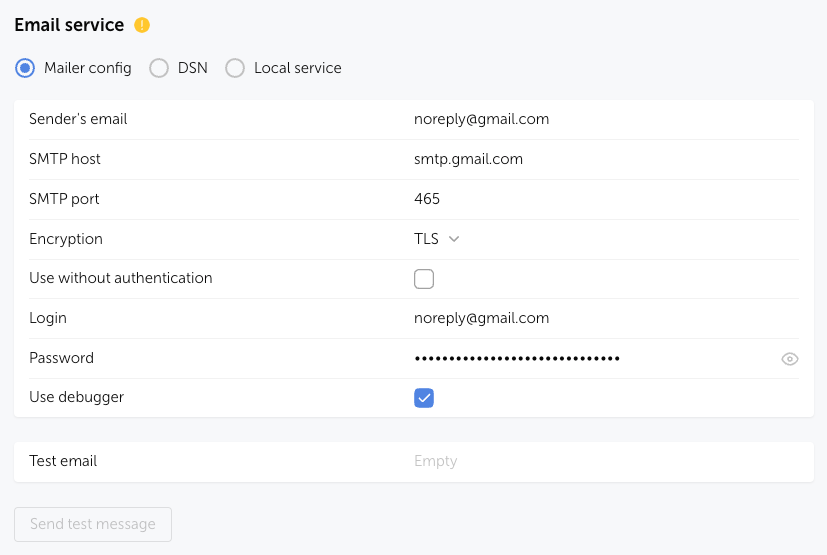
Version: 7.0Example of manual configuration for sending Passwork email notifications via Gmail
- Sender email — specify the email address from which notifications will be sent;
- SMTP host — enter the address of Gmail's SMTP server;
- SMTP port — set port 465, which is used for a secure SSL connection;
- Encryption — select the TLS encryption type to protect data transmission;
- Use without authentication — do not select the Use without authentication option, as authorization is required to send emails via Gmail;
- Login — specify the username (mailbox login);
- Password — create an Application Password for the mailbox and insert it into the field;
- Use debugger — it is recommended to enable it to see possible errors when Sending a test email.