
Introduction
NIS2 Article 21(2)(j) mandates MFA "where appropriate" — it does not explicitly require passwordless authentication. However, ENISA's 2025 guidance strongly recommends phishing-resistant MFA, making passwordless the standard for compliance. Organizations that deploy FIDO2 or passkeys are better positioned for audit than those relying on SMS OTP or legacy password-only access.
The deadline for formal NIS2 compliance audits is approaching fast. Identity and access management consistently surfaces as one of the most scrutinized areas — missing MFA, over-privileged accounts, and unmanaged credentials are the controls auditors check first.
They are checking whether organizations can prove controls operate continuously and proportionately across every system, including legacy infrastructure that will never support FIDO2.
That gap between modern and legacy authentication is where most organizations are exposed.
Key takeaways
- NIS2 does not mandate passwordless authentication — it mandates MFA "where appropriate" under Article 21(2)(j).
- ENISA's 2025 guidance positions phishing-resistant MFA (FIDO2, passkeys) as the preferred implementation.
- "Where appropriate" is not a loophole — it means mandatory for privileged access, remote access, and sensitive systems.
- Legacy systems that cannot support FIDO2 must be covered by compensating controls: centralized credential management, access reviews, and documented audit trails.
- Auditors demand evidence, not just deployed controls. Logs, access reviews, and credential hygiene reports are what pass audits.
Decoding Article 21(2)(j): Is passwordless mandatory?
NIS2 Article 21(2)(j) requires "the use of multi-factor authentication or continuous authentication solutions… where appropriate." It does not prescribe a specific technology. Passwordless authentication is not explicitly mandated — but ENISA's 2025 technical guidance identifies phishing-resistant MFA as the recommended standard, and auditors treat FIDO2 and passkeys as the benchmark against which other implementations are measured.
The full text of Article 21 frames security requirements as outcome-based: organizations must take "appropriate and proportionate technical, operational and organisational measures" to manage risk. The directive deliberately avoids prescribing specific tools, leaving implementation to the entity's risk assessment.
"The use of multi-factor authentication or continuous authentication solutions, secured voice, video and text communications and secured emergency communication systems within the entity, where appropriate." — Article 21(2)(j), Directive (EU) 2022/2555
The phrase "where appropriate" has a specific meaning in practice. ENISA's Technical Implementation Guidance consistently interprets it as mandatory for:
- Privileged and administrative accounts (§11.3.2)
- Remote access, VPN, and internet-facing entry points (§11.4)
- Access to sensitive data and critical systems, where the authentication method must match the asset's classification (§11.7.2)
- Third-party and contractor access — covered under supply chain security obligations (Art. 21(2)(d))
For standard internal users on low-risk systems, the proportionality clause gives organizations some flexibility but that flexibility must be documented in a formal risk assessment.
The "proportionate" clause: Managing legacy systems in a passwordless world

The proportionality requirement in Article 21 is the most misunderstood element of NIS2 compliance and the most practically important for organizations running mixed infrastructure. Proportionate does not mean "optional." It means the security measure must match the risk profile of the system, the data it holds, and the entity's size and exposure.
This matters because many enterprise environments include systems that cannot support FIDO2 or passkeys: older ERP platforms, industrial control systems, legacy web applications, and on-premises tools built before WebAuthn existed. Forcing passwordless on these systems is technically impossible. Leaving them uncontrolled is a compliance failure.
For legacy systems, the proportionate approach requires:
- Documented risk assessment — formally classify each legacy system by risk level and justify why full passwordless adoption is not technically feasible
- Compensating controls — strong password policies (15+ characters, no reuse, compromise-triggered rotation), centralized credential storage, and access restrictions
- Access reviews — periodic, documented reviews of who has access to what, with evidence retained for audit
- Audit trail — every credential access, change, and sharing event logged and retrievable
The key word for auditors is "documented." An undocumented compensating control is not a control.

Managing credentials across legacy and modern systems requires a centralized approach. Passwork provides structured vaults, role-based access, and a full audit trail — giving you the documented evidence auditors require for every system in your infrastructure. See how it works
Phishing-resistant MFA: Why passwordless is the auditor's favorite
Phishing-resistant MFA — primarily FIDO2/WebAuthn hardware keys and device-bound passkeys — is the implementation auditors prefer because it eliminates the shared-secret problem entirely. Unlike SMS OTP or TOTP codes, FIDO2 credentials are cryptographically bound to the origin domain, making real-time phishing proxy attacks technically impossible.
The distinction matters operationally. SMS OTPs are vulnerable to SIM swapping and SS7 interception. TOTP codes can be intercepted by adversary-in-the-middle proxies. Push notifications are susceptible to MFA fatigue attacks — where users approve requests simply to stop the notifications. None of these attack classes work against FIDO2.
| MFA method | NIS2 status | Why |
|---|---|---|
| FIDO2 / WebAuthn hardware keys | ✅ Preferred | Phishing-resistant; cryptographically bound to origin |
| Passkeys (device-bound) | ✅ Preferred | Phishing-resistant; no shared secret transmitted |
| TOTP authenticator apps | ⚠️ Conditional | Acceptable for standard users; insufficient for privileged access |
| Push notifications (with number matching) | ⚠️ Conditional | Reduces MFA fatigue; still susceptible to social engineering |
| SMS OTP | ❌ Not recommended | Vulnerable to SIM swapping, SS7 attacks, real-time phishing |
| Email OTP | ❌ Not recommended | Depends on email account security; not a separate factor |
Passkeys are gaining rapid traction: 92% of organizations plan to adopt passwordless authentication in 2026 according to 2026 CISO Perspectives Report (Portnox). Auditors reviewing NIS2 compliance in 2026 are using this trajectory as a benchmark. Organizations still relying exclusively on SMS MFA for privileged access will face questions they cannot easily answer.
MFA fatigue
MFA fatigue is a social engineering technique: an attacker repeatedly triggers push authentication requests until the user approves one. It requires no malware and no credential theft — only a distracted administrator and a poorly configured prompt. High-profile breaches at Uber and Cisco both used push fatigue as the initial access vector.
MFA fatigue is a real operational concern in NIS2 audit contexts. Organizations that deploy push-based MFA without number matching, or that apply MFA inconsistently across systems, create both security gaps and user resistance. The solution is to deploy phishing-resistant methods that require no user decision at all.
FIDO2 and passkeys remove the human decision entirely — authentication is cryptographically bound to the legitimate domain, with nothing to approve and nothing to socially engineer
The hybrid compliance strategy with Passwork
Most enterprise environments will not achieve 100% passwordless coverage before the audit cycle. The realistic compliance posture is hybrid: passwordless where technically feasible, tightly controlled password management everywhere else. The critical requirement is that the "everywhere else" is documented, auditable, and demonstrably managed.
This is where a corporate password manager becomes a compliance control, not just a convenience tool. Systems that cannot support FIDO2 still require credentials — and those credentials must be stored securely, access-controlled, rotated on compromise, and fully auditable.
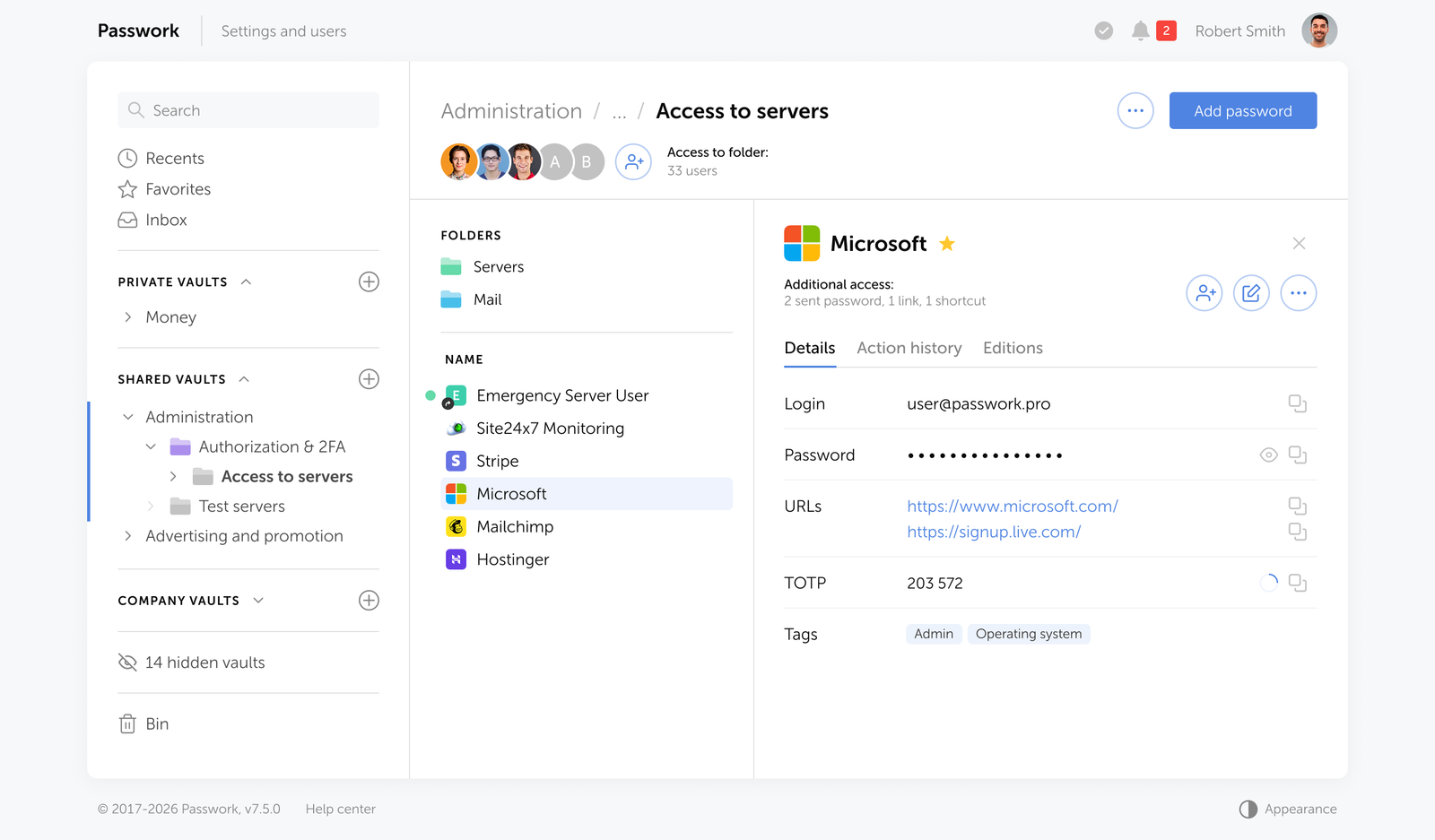
Passwork addresses the hybrid compliance gap through four specific capabilities:
- Passwordless authentication — access to the vault itself can be secured via biometrics, passkeys, or hardware security keys (including YubiKey and other WebAuthn-compatible devices), eliminating the password as the weakest link at the entry point
- Centralized credential management — all passwords for legacy systems, service accounts, API keys, and shared credentials stored in encrypted vaults, never in spreadsheets or shared inboxes
- Role-based access control — granular permissions ensure that each user accesses only the credentials their role requires; over-privileged accounts are structurally prevented
- Full audit trail — every credential access, modification, sharing event, and failed login attempt is logged with timestamps and user attribution, providing the documented evidence auditors require
- Access reviews — periodic reviews of vault access can be conducted and exported, satisfying the Article 21(2)(i) requirement for documented access control policies
For organizations running Active Directory or LDAP environments, Passwork integrates directly — meaning user provisioning and deprovisioning flows through existing identity infrastructure rather than creating a parallel management burden.
Passwork is available as a self-hosted solution with full control over your data — no third-party cloud dependency, no data leaving your perimeter. Explore deployment options
5 steps to NIS2 authentication compliance in 2026
NIS2 requires measures proportionate to the risk. In practice, that means auditors will evaluate not whether you have MFA, but whether your MFA implementation holds up against the threat model. The following five steps translate that requirement into a concrete action sequence, ordered by audit priority.
- Map your authentication surface. Inventory every system, application, and access point by authentication method currently in use. Classify each by risk level: privileged access, remote access, sensitive data, standard internal. This inventory is the foundation of your proportionality argument.
- Deploy phishing-resistant MFA on high-risk access points first. Prioritize FIDO2/WebAuthn hardware keys or passkeys for privileged accounts, remote access, and sensitive systems. This is where auditors look first and where the risk is highest. TOTP is acceptable as an interim measure for standard users while rollout continues.
- Implement a centralized password manager for legacy systems. Every system that cannot support passwordless authentication must have its credentials managed in a structured vault with role-based access and a full audit log. Credentials in spreadsheets, shared inboxes, or plaintext files are an immediate audit failure.
- Document your risk assessments and compensating controls. For every system where passwordless is not technically feasible, produce a written risk assessment explaining why and what compensating controls are in place. This documentation is what auditors review — not just the controls themselves.
- Establish and evidence periodic access reviews. Schedule quarterly access reviews for privileged accounts and semi-annual reviews for standard accounts. Export and retain the review records. Article 21(2)(i) requires documented access control policies — "we review access" is not sufficient without records proving it happened.
Conclusion

NIS2 compliance on authentication is a risk management exercise, not a technology checklist. The directive requires that organizations make proportionate, documented decisions about how they secure access to every system in their environment. For high-risk access points, phishing-resistant MFA is the expected standard. For legacy systems that cannot support it, documented compensating controls are the requirement.
The organizations failing pre-audits in 2026 are not failing because they lack controls. They are failing because they cannot produce evidence that those controls are operating consistently: access logs, access review records, credential hygiene reports, and documented risk assessments.
Passwork provides exactly that evidence layer: structured vaults, role-based access, complete audit logs, and access review exports that give auditors what they need. Combined with phishing-resistant MFA on your high-risk access points, this is what a defensible hybrid compliance posture looks like.
Ready to close the credential management gap before your NIS2 audit? Passwork gives your team centralized credential control, a full audit trail, and self-hosted deployment — all the documented evidence auditors require. Try Passwork in your infrastructure
FAQ: Common NIS2 authentication questions

Does NIS2 require MFA for internal systems?
Article 21(2)(j) requires MFA "where appropriate." ENISA guidance and national transpositions consistently interpret this as mandatory for privileged accounts and remote access, regardless of whether the access is internal or external. For standard internal users on low-risk systems, proportionality applies — but the decision must be documented in a formal risk assessment, not assumed.
What are the fines for non-compliant MFA under NIS2?
Essential entities face fines of up to €10 million or 2% of global annual turnover, whichever is higher. Important entities face up to €7 million or 1.4% of global annual turnover. Beyond regulatory fines, the average cost of a data breach in the US reached $10.22 million in 2025 (IBM Cost of a Data Breach Report 2025) — credential controls cost a fraction of either figure.
Can we use SMS MFA for NIS2 compliance?
SMS OTP is not recommended under NIS2 for privileged access or sensitive systems. It is vulnerable to SIM swapping, SS7 attacks, and real-time phishing proxies. ENISA guidance aligns with NIST SP 800-63B, which classifies SMS as a restricted authenticator. For standard users in low-risk contexts, SMS may be acceptable as a transitional measure — but it should not be the endpoint of your MFA strategy, and it will attract scrutiny in audits.
What counts as "phishing-resistant" MFA under NIS2?
Phishing-resistant MFA means authentication methods where the credential cannot be intercepted and replayed by an attacker in real time. FIDO2/WebAuthn hardware security keys and device-bound passkeys meet this definition — they use public-key cryptography bound to the origin domain. TOTP codes, SMS OTPs, and push notifications do not meet this standard because they transmit or display a value that can be captured and used by an attacker.
How do we handle NIS2 MFA for service accounts and API keys?
Service accounts and API keys are a common audit failure point — they often have elevated permissions and no MFA because they are non-interactive. NIS2 compliance for these accounts requires centralized storage in an encrypted vault with access controls and audit logging, regular rotation triggered by risk assessment or compromise detection, and documented ownership. Every service credential should have a named owner responsible for its lifecycle.
 Alex Muntyan
 Alex Muntyan
 Eirik Salmi
Table of contents
- Introduction
- Key takeaways
- Decoding Article 21(2)(j): Is passwordless mandatory?
- The "proportionate" clause: Managing legacy systems in a passwordless world
- Phishing-resistant MFA: Why passwordless is the auditor's favorite
- The hybrid compliance strategy with Passwork
- 5 steps to NIS2 authentication compliance in 2026
- Conclusion
- FAQ: Common NIS2 authentication questions
Table of contents
- Introduction
- Key takeaways
- Decoding Article 21(2)(j): Is passwordless mandatory?
- The "proportionate" clause: Managing legacy systems in a passwordless world
- Phishing-resistant MFA: Why passwordless is the auditor's favorite
- The hybrid compliance strategy with Passwork
- 5 steps to NIS2 authentication compliance in 2026
- Conclusion
- FAQ: Common NIS2 authentication questions
Self-hosted password manager for business
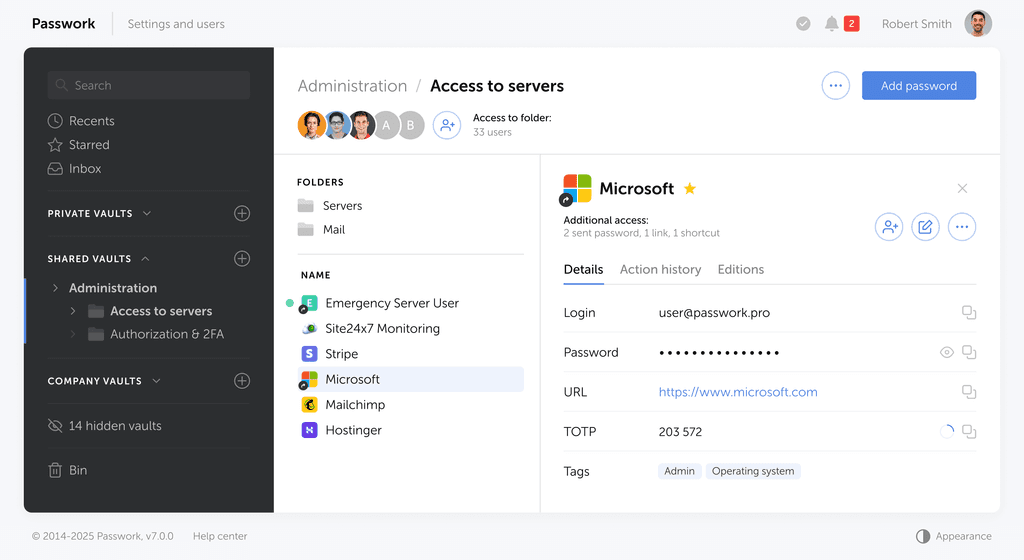
Passwork provides an advantage of effective teamwork with corporate passwords in a totally safe environment. Double encryption and zero-knowledge architecture ensure your passwords never leave your infrastructure.
Learn more